1. The starting point: you buy a front end
A “front end” is the interface where employees talk to AI: a chat window, a list of assistants, documents to attach. This market is mature: there are solid sovereignSovereigntyKeeping control of your data and tools: hosting in Europe, applicable law, no dependency on a foreign provider.See the glossary , open-sourceOpen sourceSoftware whose code is public and reusable under a licence. It can be audited, self-hosted and modified.See the glossary and SaaSSaaSSoftware as a Service: software used online, hosted and maintained by the vendor, paid by subscription.See the glossary options. Rebuilding one makes no sense.
| Solution | Type | Key point |
|---|---|---|
| Prisme.ai | French platform, SaaS or self-hostedSelf-hostedThe software runs on the company’s own infrastructure (its servers or cloud), not at the vendor’s. Data stays with you.See the glossary | No-codeNo-codeBuilding a tool through a graphical interface, without writing a program.See the glossary agent builder, governance, per-team rebillingRebillingCharging each team the real cost of its AI usage, to manage the budget.See the glossary |
| Open WebUI | Open source, self-hosted | ChatGPT-style interface, groups, SSOSSOSingle Sign-On: one login, with the company account, to access every tool.See the glossary , MCP tools |
| LibreChat | Open source (MIT), self-hosted | Multi-model, agents, agent catalogue, usage tracking |
| Mistral Le Chat Enterprise | SaaS or self-hosted | Sovereign assistant, MCP connectorsConnectorThe link between an agent and a company application (email, tickets, CRM, ERP) that lets it read or write there.See the glossary , on-behalf-of authentication |
| Microsoft 365 Copilot | SaaS | Declarative agents described in a manifestManifestThe file describing an application or an agent: its name, capabilities and permissions.See the glossary , inside Microsoft 365 |
| ChatGPT, Claude, Gemini Enterprise | SaaS | Admin-managed MCP connectors, audit, group-based rights |
| Dust, Langdock | SaaS | Team agent spaces, action approval, SSO |








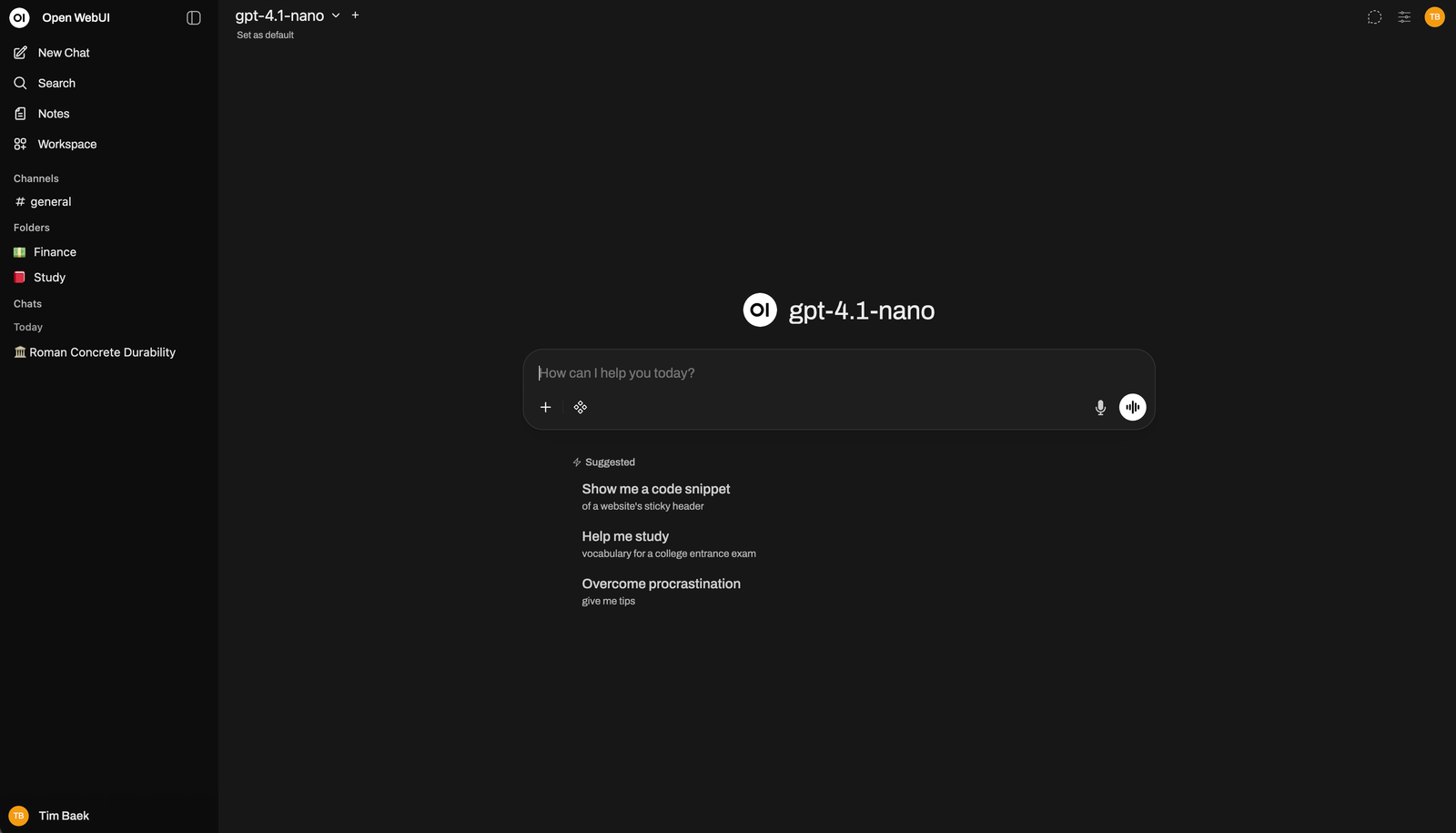
The choice of front end matters less than what sits behind it. The same front end can be a gadget or a production tool: it all depends on the governance of the agents it exposes.
2. The real topic: governing the agents you expose
The front end offers agents to employees: a summary assistant, a document search assistant, a writing assistant. Each of them reads data, calls tools and consumes models. Without rules, you quickly get agents that see too much, costs that drift and no record of what happened.
3. The building blocks, one by one
- Declarative agents
- An agent is described in a file (YAMLYAMLA human-readable text file format, widely used to write configuration.See the glossary ) rather than coded: its role, instructions, model, tools and who may use it. It can be reviewed, versionedVersioningKeeping every change to a file with its author and date, so you can compare, review and roll back.See the glossary and approved before publication, like any configuration.
- MCP connections
- MCP (Model Context Protocol) is the standard that lets an agent use tools: read tickets, search a document baseKnowledge baseThe reference documents an agent can look up to answer: procedures, documentation, history.See the glossary , query a CRMCRMCustomer relationship management software: contacts, opportunities, interaction history (Salesforce, for example).See the glossary . Each tool is exposed by an “MCP serverMCP serverThe small service that exposes a tool (an application, a document base) to agents through the MCP protocol.See the glossary ”.
- Governing MCP connections
- Not all MCP servers are equal. You keep a catalogue of approved servers, decide which groups may use them, and separate read tools from tools that write into a system.
- Identity propagation
- The agent acts with the identity of the person using it. When it queries a tool, it only sees what that person is allowed to see. This is the default for any personal or sensitive data.
- Machine to machine
- For some tools, the agent connects with a service accountService accountA technical account, owned by no person, used by one application to connect to another.See the glossary , without going through the user: an internal document base open to all, a read-only reference. Simpler, but only for data everyone may see.
- Rights delegation
- The user delegates only part of their rights to the agent: read but not change, on a precise scope, for a limited time, revocable at any moment.
- Skills and prompts
- A skill is reusable know-how: a folder with instructions, document templates and possibly scripts. The agent only loads it when needed. PromptsPromptThe written instructions given to the AI model to steer its answer.See the glossary are managed as a shared, versioned library.
- Managing LLM calls
- Every model call goes through a gatewayGatewayA single checkpoint placed in front of services, controlling everything that goes in and out: identity, rights, quotas, logging.See the glossary : model choice per need, quotas per team, cost tracking, logging. You can change models without touching the agents.
agent: incident-summary
description: Summarises an incident and drafts a resolution note
model: mistral-large             # call routed through the LLM gateway
instructions: prompts/incident-summary.md
skills:
  - write-resolution-note
tools:
  - mcp: servicenow
    auth: identity-propagation   # acts with the user’s own rights
    scopes: [incident.read]
  - mcp: document-base
    auth: machine-to-machine     # service account, read only
    scopes: [documents.read]
access:
  groups: [support-l2]
human-approval:
required-for: [write]4. Identity propagation or machine to machine?
This is the most structuring decision. MCP relies on OAuth 2.1OAuth 2.1The standard for giving an application limited access to a service without handing over your password.See the glossary and defines two official extensions that match these two modes exactly.
| Identity propagation | Machine to machine | |
|---|---|---|
| The agent acts… | on behalf of the user | with a service account |
| What it sees | only what the user may see | everything the service account may see |
| Controlled by | the corporate directoryCorporate directoryThe system listing employees, their groups and their rights (Microsoft Entra ID, Okta…).See the glossary (groups, roles, conditional accessConditional accessRules that allow or block access depending on context: device, location, risk level.See the glossary ) | the service account’s scope |
| Use it for | email, tickets, CRM, personal data | references and documentation open to all |
| In MCP | “Enterprise-Managed AuthorizationEnterprise-Managed AuthorizationMCP extension where the company directory authorises the agent to act on the user’s behalf: this is identity propagation.See the glossary ” extension | “Client CredentialsClient CredentialsMCP extension where the agent connects with its own technical credentials: this is the machine-to-machine mode.See the glossary ” extension |
5. What we almost always add
- Single sign-on (SSO) and directory group sync, to give access to agents by team.
- A catalogue of agents and connectors, with approval before anything is published.
- An audit logAudit logThe record of who did what, when and with which data. It lets you check and explain every action.See the glossary : who used which agent, which tool, with which data.
- Human approvalHuman approvalA person reviews and approves before the agent’s action is carried out (also called human in the loop).See the glossary for sensitive actions, such as any write into a system.
- Adoption and cost tracking per team, with rebilling if needed.
- Knowledge bases that respect the original access rights.
- GuardrailsGuardrailsAutomatic checks that block risky use: sensitive data leaks, forbidden content, out-of-scope actions.See the glossary against sensitive data leaks.
- Agent versions and evaluationEvaluationTesting an agent on a set of known cases to measure the quality of its answers before updating it.See the glossary before every update.
6. Where to start
- Choose the front end for your constraints: sovereignty, hosting, tools already in place.
- Start with three useful agents, on a narrow scope, for a pilot group.
- Connect two or three MCP servers, deciding for each: identity propagationIdentity propagationThe agent acts on behalf of the person using it, with their rights: it only sees what they are allowed to see.See the glossary or machine to machineMachine to machineTwo applications talk directly, with no user involved, using a technical account. Reserved for data everyone may see.See the glossary .
- Route every model call through the gateway from day one.
- Measure usage and feedback, then widen the catalogue.
Further reading
- Prisme.ai — product overview (opens in a new tab)
- Open WebUI (opens in a new tab)
- LibreChat (opens in a new tab)
- Mistral — Le Chat Enterprise (opens in a new tab)
- Microsoft — declarative agent manifest (opens in a new tab)
- MCP — authorization specification (opens in a new tab)
- MCP — Enterprise-Managed Authorization (opens in a new tab)
- Anthropic — Agent Skills (opens in a new tab)
- Claude — organisation-wide MCP connectors (opens in a new tab)
- OpenAI — MCP apps in ChatGPT (opens in a new tab)